GPT Image 2.5 — AI Image Generation & Precise Editing
Edit and enhance photos with OpenAI’s latest image model—sharper detail, more precise edits, stronger reference consistency, and faster results in Photo Revive AI.
What is GPT Image 2.5
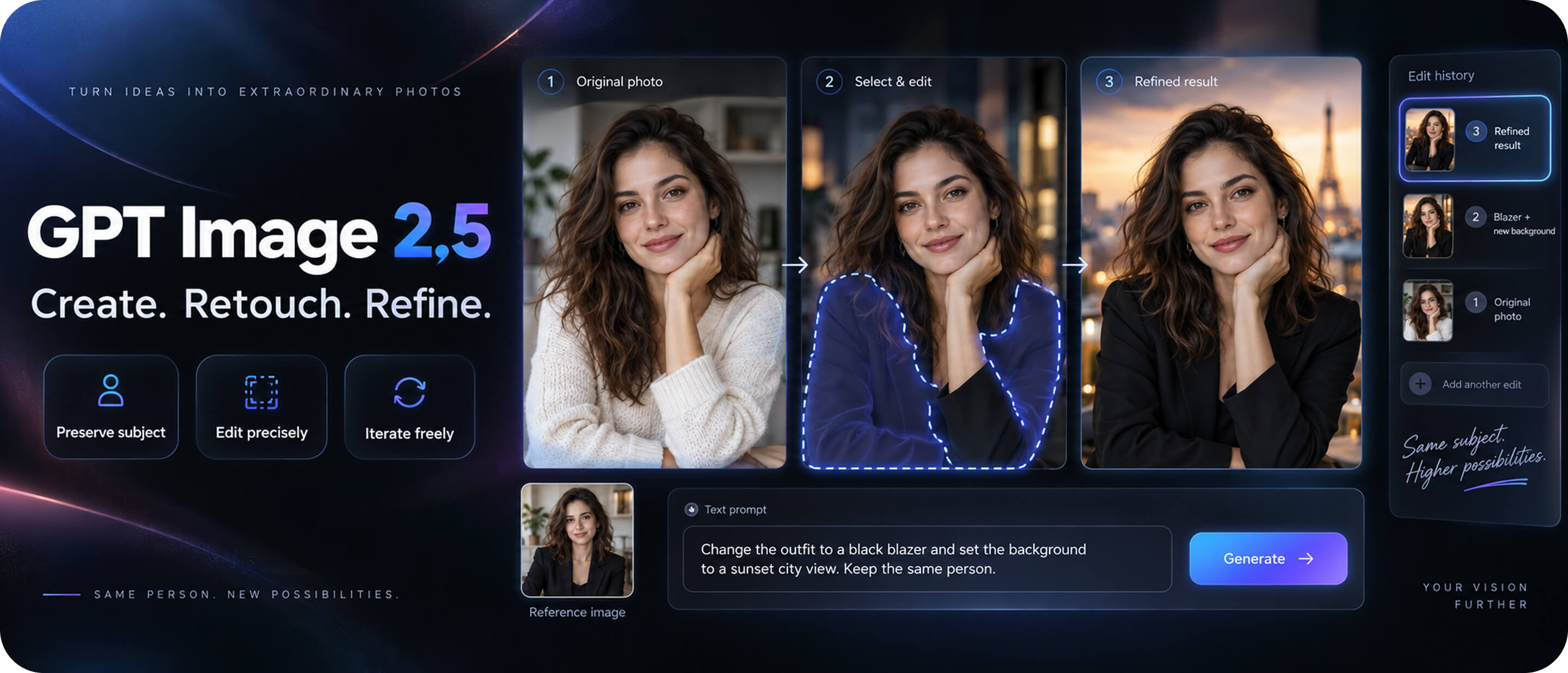
GPT Image 2.5 is OpenAI’s new state-of-the-art image model (also known as ChatGPT Image 2.5). In Photo Revive AI, it powers a practical GPT Image 2.5 AI photo editor for creating, retouching, and refining photos from text prompts and reference images.Compared with earlier image models, GPT Image 2.5 is built for real editing workflows: keep the subject you care about, change only what you ask for, and iterate across multiple turns without losing quality.
Advantages of GPT Image 2.5
Why creators choose the GPT Image 2.5 AI photo editor for serious photo work:
Sharper detail with natural lighting and texture
Photos look more grounded, with cleaner edges and richer surface detail.
Stronger subject preservation from reference photos
Faces, products, and distinctive features stay recognizable across new styles and settings.
More precise edit instructions
Change one element—background, product, or copy—while keeping the rest stable, even in complex scenes.
Better multi-turn editing consistency
Earlier edits are more likely to hold as you refine, without quality dropping over time.
Up to 50% faster than Image 2.0
Lower generation latency means quicker previews and faster creative loops.
Smarter complex visuals
Improved handling of complex visual instructions, real-world details, transparent backgrounds, and style fidelity.
GPT Image 2.5 use cases
Use this GPT Image 2.5 AI photo editor for everyday photo fixes and production-ready creative work.
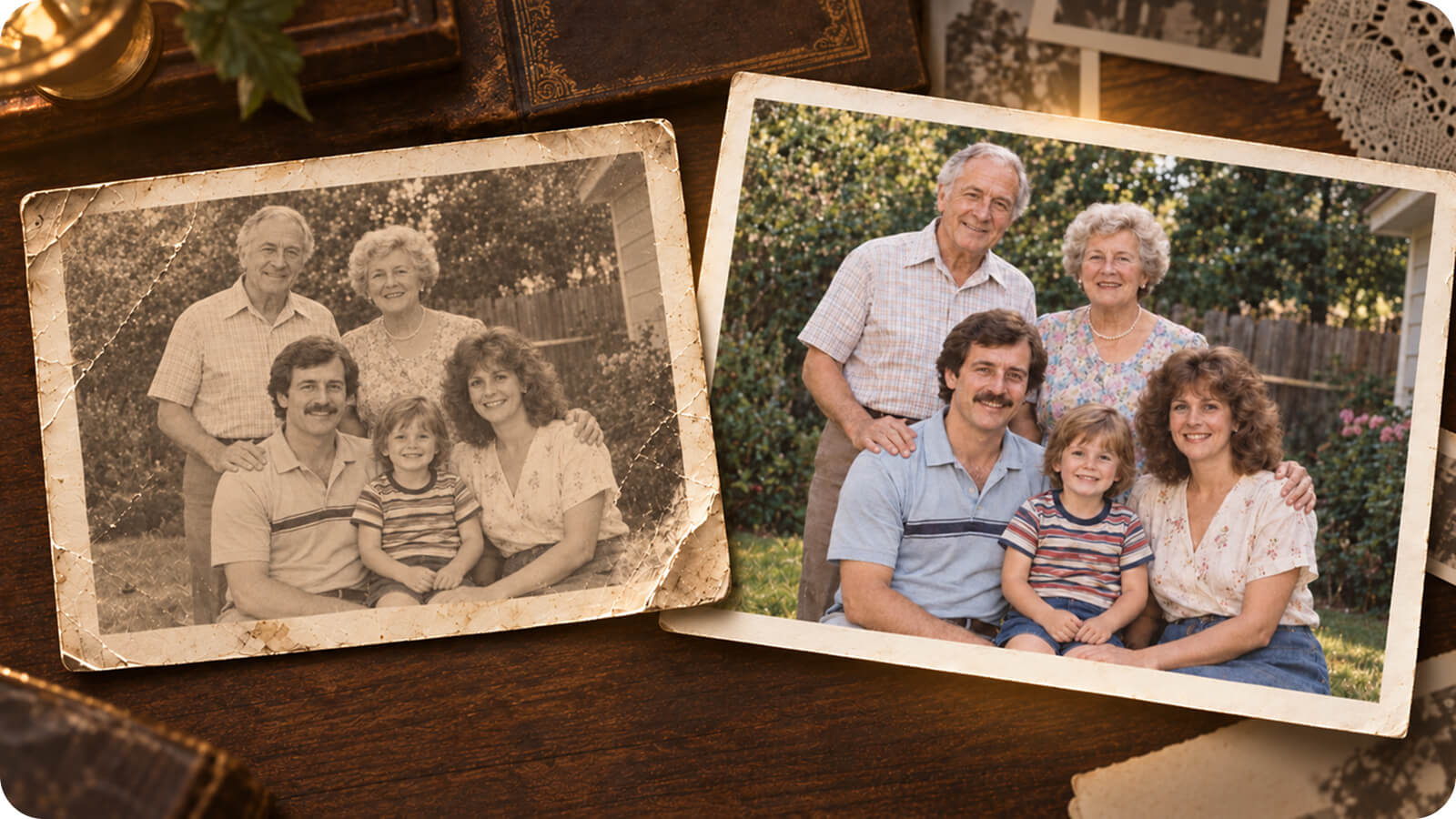
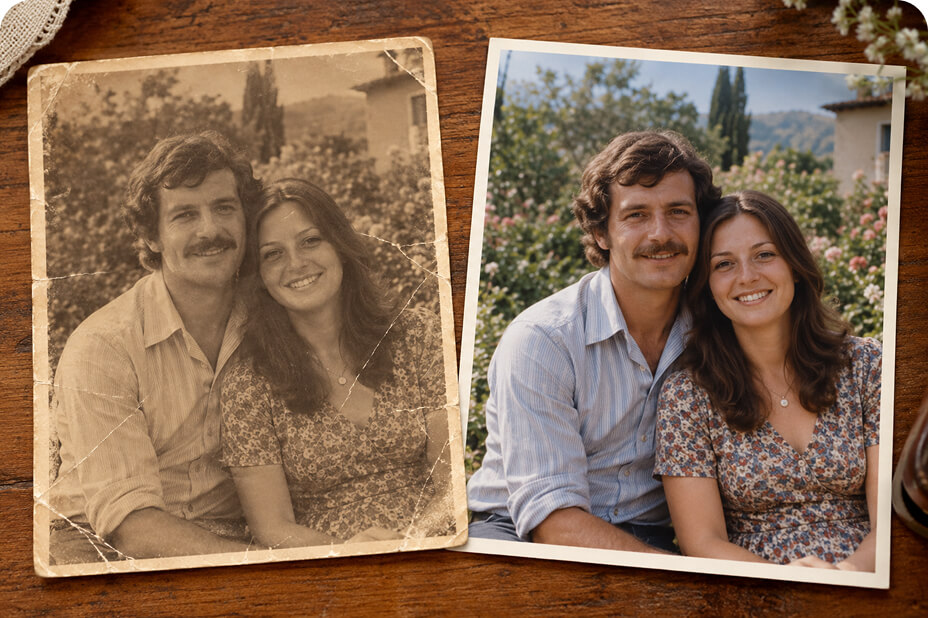
Old photo restoration
Repair faded prints, recover detail, and refresh family photos while keeping the original person recognizable.
Application examples
Social-ready results you can recreate in Photo Revive AI with GPT Image 2.5.
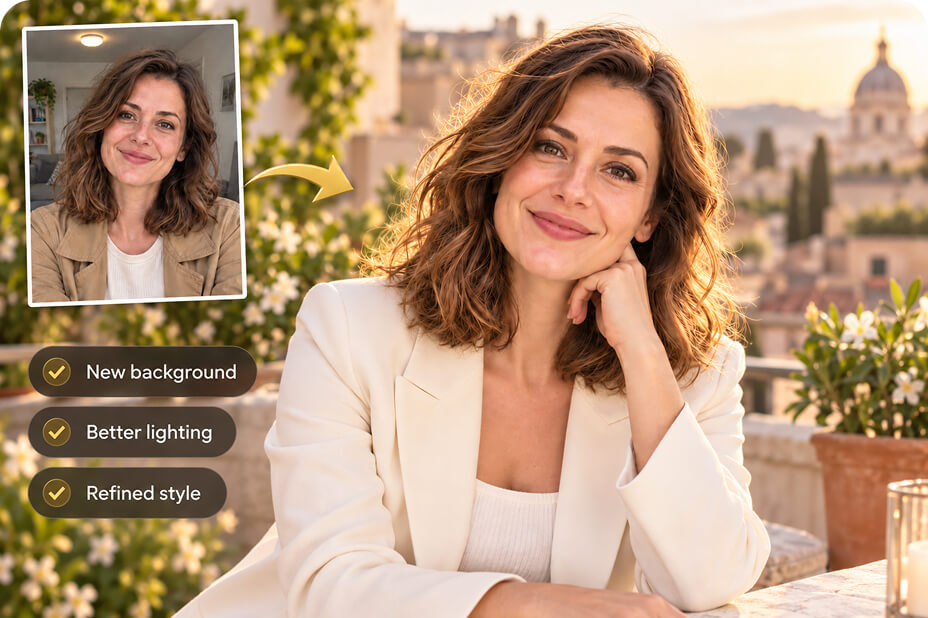
Personal portrait for social
Upload a selfie or studio portrait, then refine lighting, background, and style while keeping facial identity consistent for profile or feed posts.
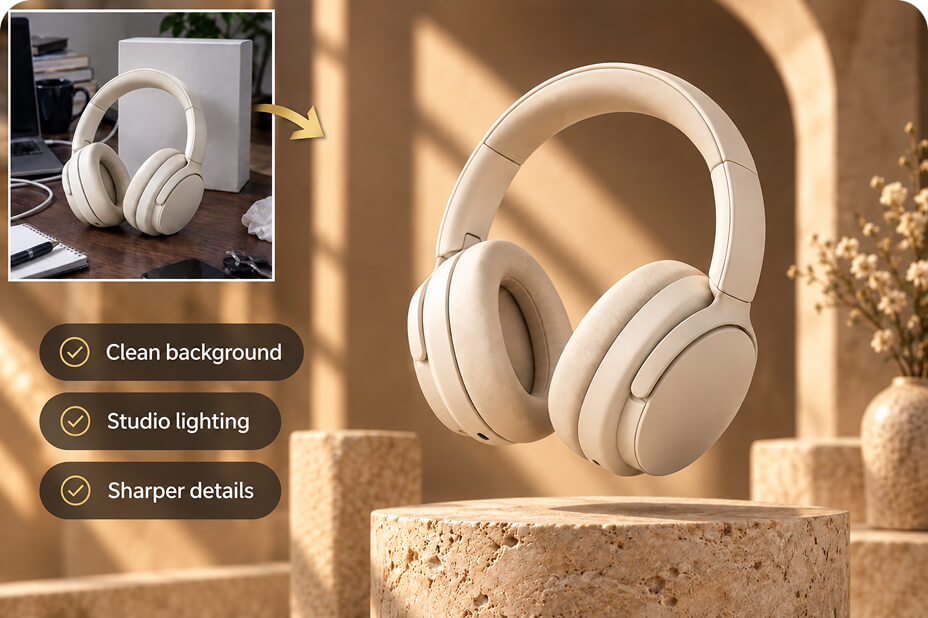
Amazon ecommerce product image
Clean up product photos, swap backgrounds, and keep packaging details readable for marketplace listings and A+ style creatives.
Old photo repair
Restore scratches, stains, and faded color in vintage photos, then export a shareable before-and-after card for family albums or social storytelling.
How to use GPT Image 2.5 in Photo Revive AIs
Start editing in a few steps—no complicated setup.
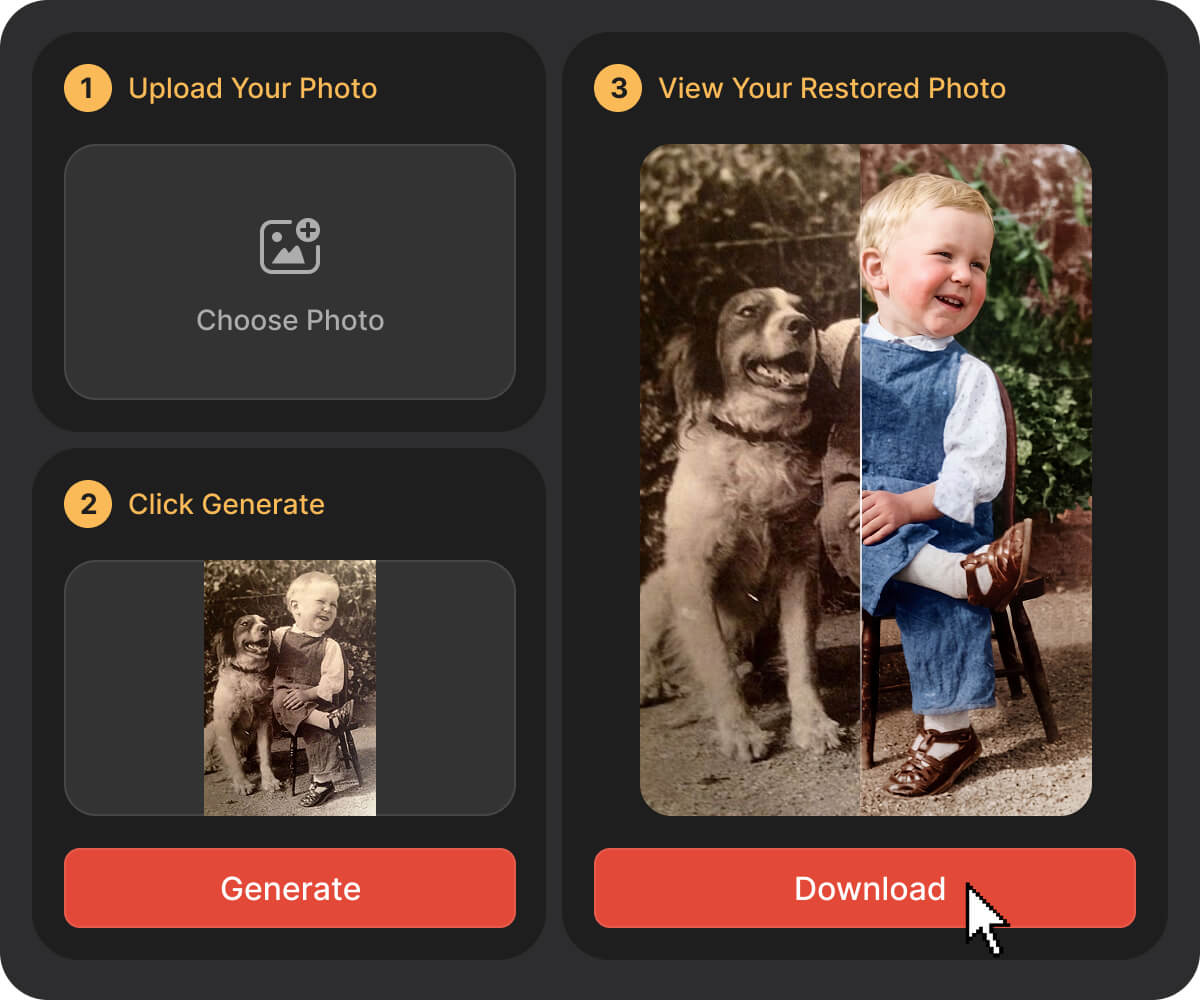
Step 1: Open the GPT Image 2.5 AI photo editor
Step 2: Upload your photo or add a prompt
Use a reference image for identity-safe edits, or describe the look you want in plain language.
Step 3: Apply a precise edit
Ask for one clear change at a time—fix light, remove distractions, change background, or restore damage.
Step 4: Refine and export
Continue multi-turn edits until it looks right, then download or share your final image.
GPT Image 2.5 vs 2.0
A quick look at what improved for AI photo editing.
Capability
GPT Image 2.0
GPT Image 2.5
Detail, lighting, texture
Good baseline quality
Sharper detail, more natural light and richer texture
Reference photo fidelity
Subject can drift after edits
Better at keeping people and products recognizable
Edit precision
Broader changes more often
More reliable targeted edits on complex scenes
Multi-turn consistency
Broader changes more often
Stronger consistency across multiple edits
Speed
Standard generation latency
Up to 50% lower latency
Complex layouts & transparency
More limited on complex briefs
Better complex instructions, transparent backgrounds, style control
Create with Photo Revive AI Now
Frequently Asked Questions
1. What is the GPT Image 2.5 AI photo editor?
2. Is ChatGPT Image 2.5 the same as GPT Image 2.0?
3. How is GPT Image 2.5 better than 2.0 for editing photos
4. Can it keep the same face or product from my upload?
5. What can I use the GPT Image 2.5 AI photo editor for?